Canvas fabric is a versatile and durable material that has found its way into numerous industries, from fashion and home decor to industrial applications. When combined with the powerful Konva.js library, it opens up a world of creative possibilities for developers and designers. As a leading canvas fabric supplier, I'm excited to share with you how to effectively use canvas fabric with Konva.js to bring your projects to life.


Understanding Canvas Fabric and Konva.js
Before we dive into the technical details, let's take a moment to understand what canvas fabric and Konva.js are. Canvas fabric is typically made from cotton, polyester, or a blend of both. It's known for its strength, durability, and ability to hold up well under various conditions. This makes it suitable for a wide range of products, including bags, tents, clothing, and upholstery.
On the other hand, Konva.js is an HTML5 canvas JavaScript framework that enables you to create interactive graphics, animations, and games. It provides a simple and intuitive API for working with the HTML5 canvas element, allowing you to manipulate shapes, images, and text with ease. By combining the physical properties of canvas fabric with the digital capabilities of Konva.js, you can create unique and engaging experiences.
Getting Started with Konva.js and Canvas Fabric
To start using Konva.js with canvas fabric, you'll first need to set up your development environment. This involves including the Konva.js library in your project. You can do this by downloading the library from the official Konva.js website or by using a package manager like npm.
<!DOCTYPE html>
<html lang="en">

<head>
    <meta charset="UTF-8">
    <meta name="viewport" content="width=device-width, initial-scale=1.0">
    <title>Canvas Fabric with Konva.js</title>
    <script src="https://cdn.jsdelivr.net/npm/konva@8.3.0/konva.min.js"></script>
</head>

<body>
    <div id="container"></div>
    <script>
        // Create a stage
        var stage = new Konva.Stage({
            container: 'container',
            width: window.innerWidth,
            height: window.innerHeight
        });

        // Create a layer
        var layer = new Konva.Layer();

        // Add the layer to the stage
        stage.add(layer);
    </script>
</body>

</html>
In this code, we first create a Stage object, which represents the entire drawing area. We then create a Layer object, which is a container for all the shapes and images we'll be adding to the canvas. Finally, we add the layer to the stage.
Incorporating Canvas Fabric Images
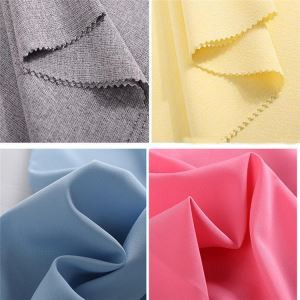
Once you have your basic Konva.js setup in place, you can start incorporating images of canvas fabric into your project. As a canvas fabric supplier, we offer a wide range of high-quality canvas fabrics that you can use in your digital projects. For example, you can check out our Wholesale Tc 65/35 Hospital Dyed Pocketing Fabric Manufacturer and 14 OZ Polyester Cotton Canvas Fabric For Car Seat Covers.
To add an image of canvas fabric to your Konva.js project, you can use the Konva.Image object. Here's an example:
// Create an image object
var imageObj = new Image();
imageObj.onload = function () {
    var fabricImage = new Konva.Image({
        x: 100,
        y: 100,
        image: imageObj,
        width: 200,
        height: 200
    });

    // Add the image to the layer
    layer.add(fabricImage);

    // Draw the layer
    layer.draw();
};
imageObj.src = 'path/to/your/canvas-fabric-image.jpg';
In this code, we first create a new Image object and set its src property to the path of our canvas fabric image. We then create a Konva.Image object and set its image property to the Image object we just created. Finally, we add the Konva.Image object to the layer and draw the layer.
Manipulating Canvas Fabric Shapes
One of the powerful features of Konva.js is its ability to manipulate shapes. You can use this feature to create interesting effects with your canvas fabric images. For example, you can rotate, scale, and skew the images to create a sense of depth and perspective.
// Rotate the fabric image
fabricImage.rotate(45);

// Scale the fabric image
fabricImage.scale({ x: 1.5, y: 1.5 });

// Skew the fabric image
fabricImage.skew({ x: 0.2, y: 0.2 });

// Draw the layer again to apply the changes
layer.draw();
In this code, we use the rotate, scale, and skew methods of the Konva.Image object to manipulate the fabric image. We then draw the layer again to apply the changes.
Creating Interactive Canvas Fabric Experiences
Another exciting aspect of using Konva.js with canvas fabric is the ability to create interactive experiences. You can add event listeners to your canvas fabric images to respond to user actions, such as clicks and mouse movements.
// Add a click event listener to the fabric image
fabricImage.on('click', function () {
    // Change the fill color of the image when clicked
    fabricImage.fill('red');

    // Draw the layer again to apply the changes
    layer.draw();
});
In this code, we add a click event listener to the fabric image. When the image is clicked, we change its fill color to red and draw the layer again to apply the changes.
Using Canvas Fabric Textures
In addition to using images of canvas fabric, you can also use canvas fabric textures in your Konva.js projects. Textures can add a realistic and tactile feel to your graphics. You can create textures by using the Konva.Pattern object.
// Create a pattern from the fabric image
var pattern = new Konva.Pattern({
    image: imageObj,
    x: 0,
    y: 0,
    width: 200,
    height: 200,
    scale: { x: 0.5, y: 0.5 }
});

// Create a rectangle and fill it with the pattern
var rectangle = new Konva.Rect({
    x: 300,
    y: 300,
    width: 300,
    height: 300,
    fillPattern: pattern
});

// Add the rectangle to the layer
layer.add(rectangle);

// Draw the layer
layer.draw();
In this code, we first create a Konva.Pattern object from the fabric image. We then create a rectangle and fill it with the pattern. Finally, we add the rectangle to the layer and draw the layer.
Conclusion
As you can see, using canvas fabric with Konva.js opens up a world of creative possibilities. Whether you're a developer, designer, or artist, you can use these tools to create unique and engaging experiences. At our company, we're committed to providing high-quality canvas fabrics that meet your needs. If you're interested in purchasing our canvas fabrics, such as our T/C Grey Twill Fabric, or have any questions about using them with Konva.js, please don't hesitate to contact us for procurement and negotiation.
References
- Konva.js Official Documentation
- HTML5 Canvas Tutorials