Hey there, fellow Vue developers and fabric enthusiasts! I'm stoked to share with you how to use Canvas Fabric in a Vue application. As a Canvas Fabric supplier, I've seen firsthand the amazing possibilities that this versatile material brings to the table. So, let's dive right in!
What is Canvas Fabric?
Canvas fabric is a heavy-duty, plain-woven fabric typically made from cotton or a blend of cotton and synthetic fibers. It's known for its durability, strength, and versatility, making it a popular choice for a wide range of applications, from tents and outdoor gear to art canvases and upholstery.
In the context of a Vue application, Canvas Fabric can be used to create dynamic and interactive visual elements, such as charts, graphs, games, and animations. With the power of the HTML5 Canvas API and the flexibility of Vue.js, you can bring your creative ideas to life in a way that's both engaging and user-friendly.

Getting Started with Canvas Fabric in Vue
Before we start using Canvas Fabric in our Vue application, we need to set up a basic Vue project. If you haven't already, you can use the Vue CLI to create a new project:
vue create canvas-fabric-app
cd canvas-fabric-app
Next, we need to install the fabric.js library, which is a powerful JavaScript library for working with the HTML5 Canvas API. You can install it using npm or yarn:
npm install fabric --save
# or
yarn add fabric
Now that we have our project set up and the fabric.js library installed, let's create a new Vue component that uses Canvas Fabric. Create a new file called CanvasFabric.vue in the src/components directory and add the following code:

<template>
  <canvas ref="canvas" width="800" height="600"></canvas>
</template>

<script>
import fabric from 'fabric';

export default {
  name: 'CanvasFabric',
  mounted() {
    const canvas = new fabric.Canvas(this.$refs.canvas);

    // Create a new rectangle
    const rect = new fabric.Rect({
      left: 100,
      top: 100,
      width: 200,
      height: 100,
      fill: 'blue'
    });

    // Add the rectangle to the canvas
    canvas.add(rect);
  }
};
</script>
In this code, we first import the fabric library and create a new Canvas instance using the fabric.Canvas constructor. We then create a new Rect object, which represents a rectangle on the canvas, and set its position, size, and fill color. Finally, we add the rectangle to the canvas using the canvas.add method.
Now, let's use this component in our main App.vue file:
<template>
  <div id="app">
    <CanvasFabric />
  </div>
</template>

<script>
import CanvasFabric from './components/CanvasFabric.vue';

export default {
  name: 'App',
  components: {
    CanvasFabric
  }
};
</script>

<style>
#app {
  font-family: Avenir, Helvetica, Arial, sans-serif;
  -webkit-font-smoothing: antialiased;
  -moz-osx-font-smoothing: grayscale;
  text-align: center;
  color: #2c3e50;
  margin-top: 60px;
}
</style>
If you run the development server using npm run serve or yarn serve, you should see a blue rectangle on the canvas. Congratulations, you've successfully used Canvas Fabric in a Vue application!

Creating More Complex Shapes and Objects
Now that we've created a simple rectangle on the canvas, let's explore how to create more complex shapes and objects. The fabric.js library provides a wide range of built-in objects, such as circles, triangles, polygons, and text, as well as the ability to create custom objects.
Here's an example of how to create a circle and a triangle on the canvas:
<template>
  <canvas ref="canvas" width="800" height="600"></canvas>
</template>

<script>
import fabric from 'fabric';

export default {
  name: 'CanvasFabric',
  mounted() {
    const canvas = new fabric.Canvas(this.$refs.canvas);

    // Create a new circle
    const circle = new fabric.Circle({
      left: 300,
      top: 200,
      radius: 50,
      fill: 'red'
    });

    // Create a new triangle
    const triangle = new fabric.Triangle({
      left: 500,
      top: 200,
      width: 100,
      height: 100,
      fill: 'green'
    });

    // Add the circle and triangle to the canvas
    canvas.add(circle, triangle);
  }
};
</script>
In this code, we create a new Circle object and a new Triangle object, set their positions, sizes, and fill colors, and then add them to the canvas using the canvas.add method. You can experiment with different shapes and objects to create your own unique designs.
Working with Images and Text
In addition to shapes, you can also work with images and text on the canvas. Here's an example of how to add an image and some text to the canvas:
<template>
  <canvas ref="canvas" width="800" height="600"></canvas>
</template>

<script>
import fabric from 'fabric';

export default {
  name: 'CanvasFabric',
  mounted() {
    const canvas = new fabric.Canvas(this.$refs.canvas);

    // Add an image to the canvas
    fabric.Image.fromURL('https://via.placeholder.com/150', (img) => {
      img.set({
        left: 100,
        top: 100
      });
      canvas.add(img);
    });

    // Add some text to the canvas
    const text = new fabric.Text('Hello, Canvas Fabric!', {
      left: 300,
      top: 300,
      fontSize: 30,
      fill: 'purple'
    });

    canvas.add(text);
  }
};
</script>
In this code, we use the fabric.Image.fromURL method to load an image from a URL and add it to the canvas. We then create a new Text object, set its position, font size, and fill color, and add it to the canvas.
Using Different Types of Canvas Fabric
As a Canvas Fabric supplier, we offer a wide range of canvas fabrics to suit different needs and applications. Some of our popular products include:
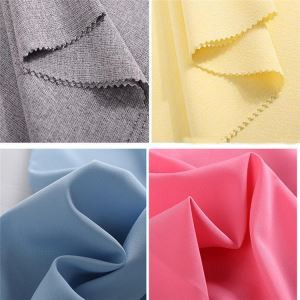
- T/C Grey Plain Fabric: This is a high-quality, durable fabric made from a blend of polyester and cotton. It's perfect for a variety of applications, such as tents, outdoor furniture, and workwear.
- Polyester Water Proof Canvas Fabric For Tent With UV: This fabric is specially designed for tents and other outdoor applications. It's waterproof, UV-resistant, and lightweight, making it ideal for camping, hiking, and other outdoor activities.
- Waterproof Dyed Fabric: This fabric is both waterproof and dyed, giving it a unique and stylish look. It's perfect for a variety of applications, such as bags, backpacks, and outdoor gear.
Each of these fabrics has its own unique properties and characteristics, so it's important to choose the right fabric for your specific needs. If you're not sure which fabric is right for you, feel free to contact us and we'll be happy to help you make the right choice.
Interactivity and Animation
One of the great things about using Canvas Fabric in a Vue application is the ability to add interactivity and animation to your designs. The fabric.js library provides a number of methods and events that you can use to create dynamic and engaging user experiences.
Here's an example of how to add interactivity to a shape on the canvas:
<template>
  <canvas ref="canvas" width="800" height="600"></canvas>
</template>

<script>
import fabric from 'fabric';

export default {
  name: 'CanvasFabric',
  mounted() {
    const canvas = new fabric.Canvas(this.$refs.canvas);

    // Create a new rectangle
    const rect = new fabric.Rect({
      left: 100,
      top: 100,
      width: 200,
      height: 100,
      fill: 'blue'
    });

    // Add the rectangle to the canvas
    canvas.add(rect);

    // Add an event listener to the rectangle
    rect.on('mousedown', () => {
      rect.set({
        fill: 'red'
      });
      canvas.renderAll();
    });
  }
};
</script>
In this code, we add an event listener to the rectangle using the rect.on method. When the user clicks on the rectangle, the fill color of the rectangle changes to red and the canvas is re-rendered using the canvas.renderAll method.
You can also use the fabric.js library to create animations on the canvas. Here's an example of how to create a simple animation:
<template>
  <canvas ref="canvas" width="800" height="600"></canvas>
</template>

<script>
import fabric from 'fabric';

export default {
  name: 'CanvasFabric',
  mounted() {
    const canvas = new fabric.Canvas(this.$refs.canvas);

    // Create a new circle
    const circle = new fabric.Circle({
      left: 100,
      top: 100,
      radius: 50,
      fill: 'red'
    });

    // Add the circle to the canvas
    canvas.add(circle);

    // Animate the circle
    circle.animate('left', '+=300', {
      onChange: canvas.renderAll.bind(canvas),
      duration: 2000,
      easing: fabric.util.ease.easeOutBounce
    });
  }
};
</script>
In this code, we use the circle.animate method to animate the position of the circle. The onChange option specifies a function that will be called every time the position of the circle changes, and the duration option specifies the duration of the animation in milliseconds. The easing option specifies the easing function to use for the animation.

Conclusion
Using Canvas Fabric in a Vue application is a great way to create dynamic and interactive visual elements that engage your users. With the power of the HTML5 Canvas API and the flexibility of Vue.js, you can bring your creative ideas to life in a way that's both engaging and user-friendly.
As a Canvas Fabric supplier, we're committed to providing high-quality canvas fabrics that meet the needs of our customers. Whether you're looking for a durable fabric for your outdoor gear or a stylish fabric for your upholstery, we have the perfect solution for you.
If you're interested in using our canvas fabrics in your Vue application or any other project, please don't hesitate to contact us to discuss your requirements and place an order. We're here to help you bring your ideas to life!
References
- Fabric.js Documentation: https://fabricjs.com/
- Vue.js Documentation: https://vuejs.org/
- HTML5 Canvas API Documentation: https://developer.mozilla.org/en-US/docs/Web/API/Canvas_API